
If you are wondering how to apply for GST registration online in India, this complete step-by-step guide explains the exact legal process, documentation requirements and approval timeline. While the GST portal allows self-registration, most delays and rejections occur due to incorrect documentation, wrong business classification, or incomplete Aadhaar authentication. The visual above explains how to apply for GST registration online in India step by step including GSTIN approval and certificate download.
This complete guide explains how to apply for GST registration online in India step by step, including eligibility checks, document preparation, Aadhaar verification, officer approval process, timeline expectations, and how to avoid common rejection mistakes.
GST registration online in India involves verifying eligibility, preparing documents, completing Aadhaar authentication, submitting application, and obtaining GSTIN after officer verification. Accurate documentation significantly reduces rejection risk.
As per Section 22 and Section 24 of the CGST Act, businesses liable under turnover threshold or engaged in compulsory registration categories must apply for GST registration within 30 days of becoming liable.
Before starting the application process, it is important to understand whether your business actually requires GST registration based on turnover and supply structure. You should first review GST turnover limit in India to confirm your eligibility under current rules.
GST applications are commonly delayed because applicants upload incorrect or incomplete documentation. To avoid rejection, review the updated checklist of documents required for GST registration in India before starting the online process.
Understanding how to apply for GST registration online in India correctly helps businesses avoid rejection, compliance risks, and approval delays.
Table of Contents
How to Apply for GST Registration Online in India (Quick Summary)
To apply for GST registration online in India, businesses must verify eligibility, prepare documents, generate TRN on the GST portal, complete Aadhaar authentication, submit application, and receive GSTIN after officer verification. Accurate documentation and correct classification significantly improve approval speed.
Who Should Apply for GST Registration Online in India?
Before understanding how to apply for GST registration online in India, it is important to determine whether your business is legally required to register.
- GST registration online is mandatory for:
- Businesses crossing prescribed turnover limits
- Interstate suppliers
- Online marketplace sellers
- Exporters of goods or services
- Service providers covered under compulsory registration rules
GST registration is not limited to large companies. The requirement applies to various types of businesses depending on turnover, interstate supply, and online selling activity.
The visual below explains GST registration eligibility and turnover threshold rules in India that determine compulsory registration categories.
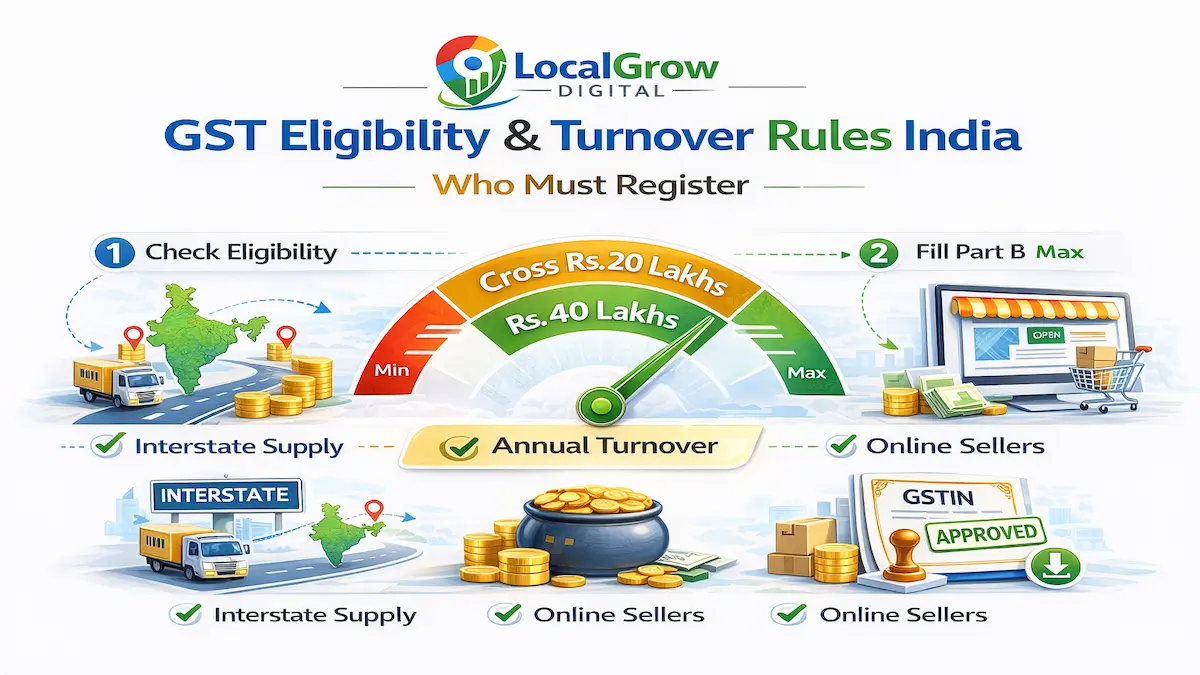
- Retail shop owners and traders
- Online sellers on Amazon, Flipkart or Meesho
- Freelancers and service providers
- Interstate suppliers of goods
- Businesses crossing turnover threshold
- Voluntary applicants seeking input tax credit
If you sell through e-commerce platforms, you must comply with compulsory registration provisions even if your turnover is below exemption limits.
Under Section 22 and Section 24 of the CGST Act, compulsory registration provisions apply to specific categories of businesses regardless of turnover limits.
What Is the GST Registration Online Process?
The GST registration online process in India involves document preparation, Aadhaar authentication, business classification, officer verification and GSTIN issuance through the official GST portal.
The visual below explains the GST registration online process in India step by step from eligibility verification to GSTIN approval.
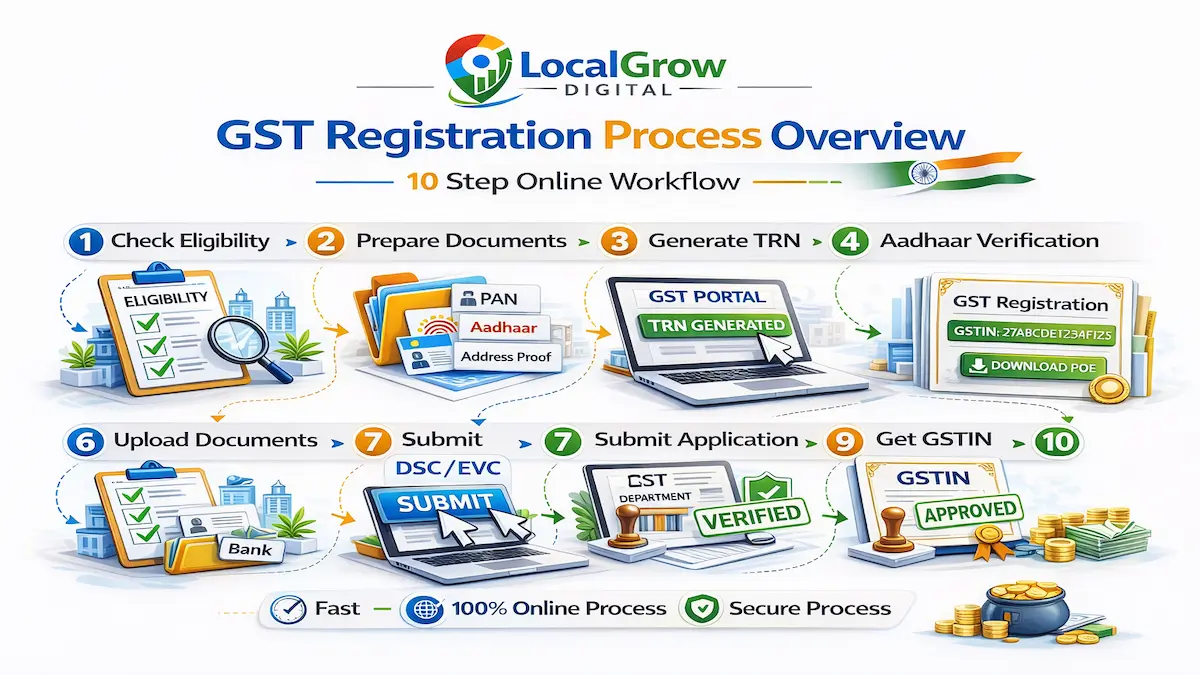
GST Registration Online Process at a Glance
The GST registration process follows a structured sequence on the GST portal. Understanding the flow in advance reduces errors and speeds up approval.
- Check GST eligibility
- Prepare required documents
- Generate TRN on GST portal
- Submit Part A of application
- Complete Aadhaar authentication
- Fill Part B with business details
- Upload documents correctly
- Submit with DSC or EVC
- Officer verification
- GSTIN approval and certificate download
Step-by-Step GST Registration Online Process in India
Below is the complete structured process explaining how to apply for GST registration online in India without mistakes or delays. Each step must be completed accurately to avoid clarification notices or rejection.
Step 1: Check GST Eligibility and Turnover Threshold
Before applying for GST registration online in India, confirm whether your business is legally required to register. GST liability arises when aggregate turnover exceeds prescribed limits or when compulsory registration categories apply under Section 24 of the CGST Act.
Businesses engaged in interstate supply, online selling, or taxable services must register even if turnover is below exemption threshold.
You should carefully review GST turnover limit in India and registration rules to avoid unnecessary application or compliance risk.
Step 2: Prepare Documents Required for GST Registration
Document preparation is the most critical stage of GST registration. Incomplete or mismatched documents are the primary reason for GST application rejection.
The checklist below highlights the core documents required for GST registration to avoid rejection during verification.
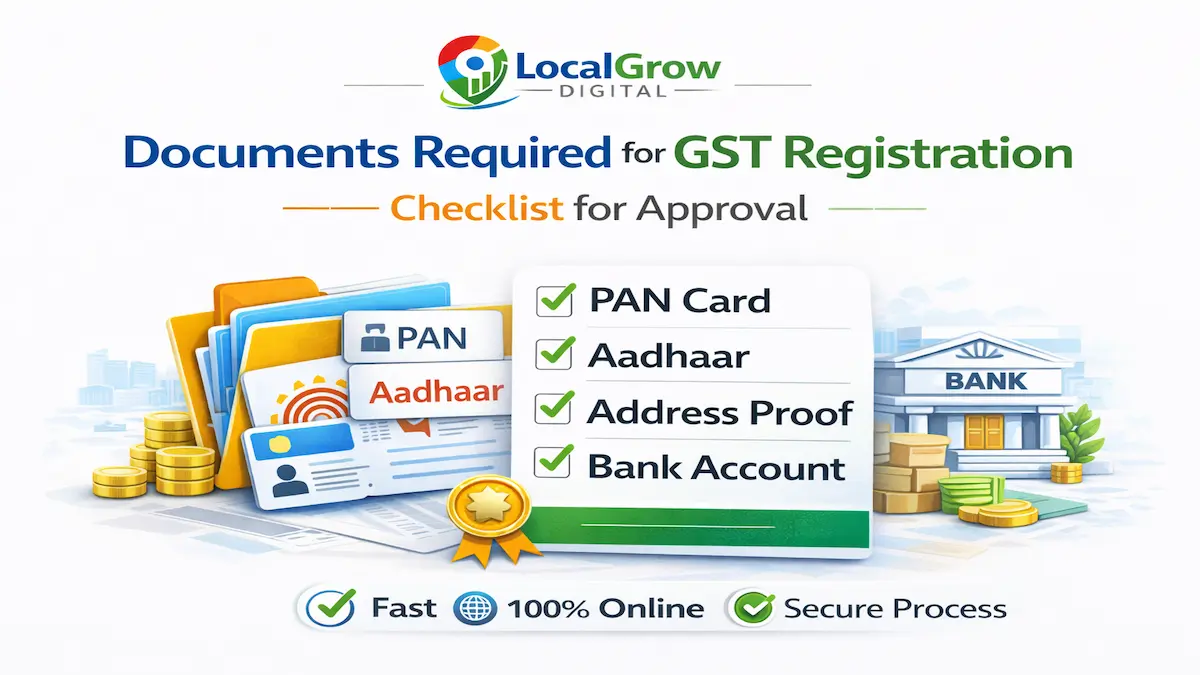
Submitting accurate documents is a critical step when learning how to apply for GST registration online in India without rejection.
Ensure PAN, Aadhaar, address proof, bank account proof, and business-specific documents are accurate and clearly scanned before starting the application.
For a complete breakdown, refer to documents required for GST registration in India checklist before submission.
GST registration approval speed depends more on documentation accuracy than business size.
Step 3: Generate TRN (Temporary Reference Number) on GST Portal
Visit the official GST portal and select “New Registration.” After entering PAN, mobile number, and email, you will receive OTP verification to generate a Temporary Reference Number (TRN).
TRN allows you to complete Part A and Part B of the GST application within the validity period.
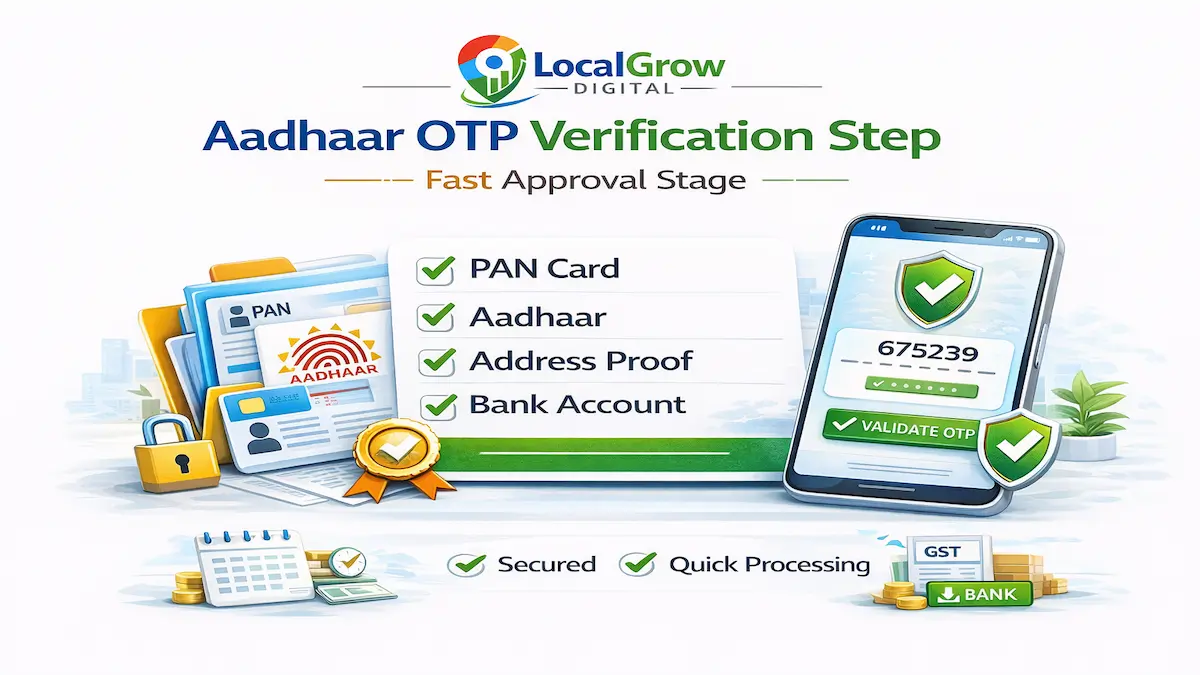
Step 4: Complete Aadhaar Authentication and OTP Verification
Aadhaar authentication is mandatory for faster approval of GST registration online in India. OTP is sent to the Aadhaar-linked mobile number of the applicant or authorized signatory.
Completing Aadhaar authentication is a mandatory stage when learning how to apply for GST registration online in India without delays.
Step 5: Fill Part B – Business Details and Classification
If Aadhaar authentication fails or is skipped, the application may be routed for physical verification under Rule 9 of CGST Rules, which can extend approval timeline up to 30 days.
The illustration below explains how business classification and HSN selection are completed in Part B of the GST registration form.

Part B of the GST application requires detailed business information including trade name, constitution of business, principal place of business, additional places, nature of business activities, and HSN/SAC codes.
Accurate business classification is a critical step when learning how to apply for GST registration online in India without compliance issues.
Incorrect classification of business activity or wrong HSN selection can create future compliance complications during GST return filing.
Step 6: Upload Required Documents in Prescribed Format
All documents must be uploaded in clear, legible format within size limits specified by the GST portal. Blurry or cropped documents often trigger clarification notices.
Ensure that bank account details match PAN and business name exactly to avoid officer query.
Step 7: Submit Application Using DSC or EVC
GST registration application must be submitted using either Digital Signature Certificate (DSC) or Electronic Verification Code (EVC), depending on business type.
Companies and LLPs must use DSC, while proprietorship businesses may use OTP-based EVC authentication.
Step 8: GST Officer Verification and Clarification Notice
After submission, the application is assigned to a GST officer for verification. The officer may approve the application directly or issue a clarification notice if additional information is required.
The illustration below shows how GST officers review applications and may issue clarification notices during verification.
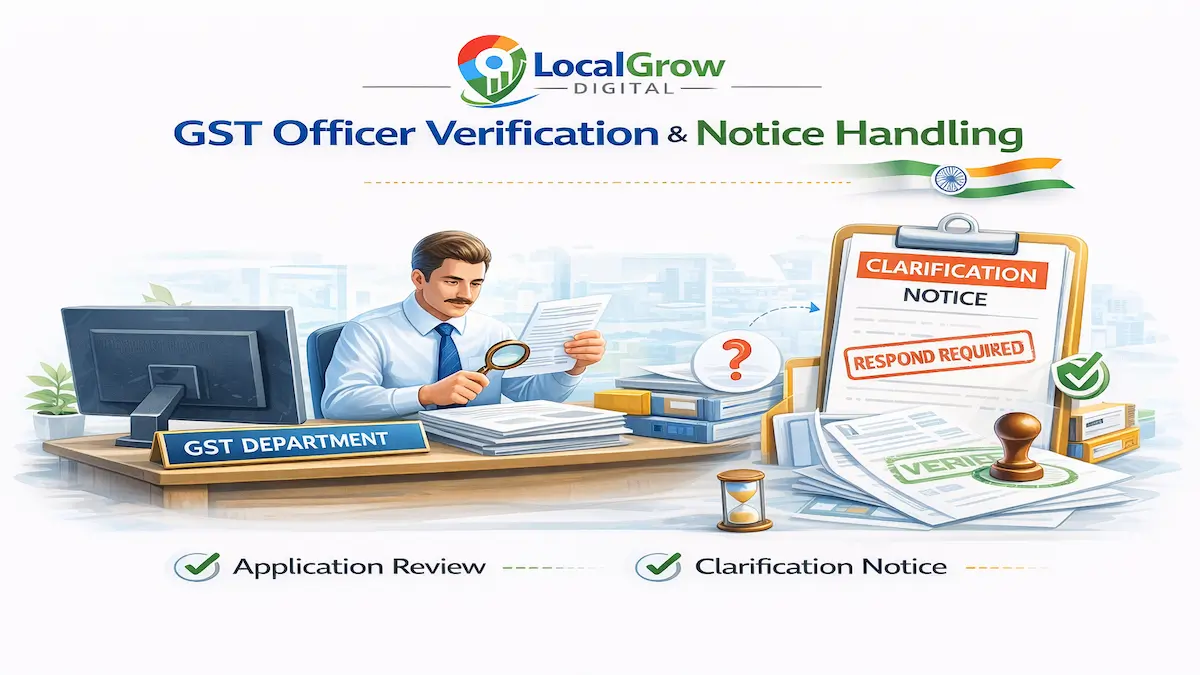
Applicants must respond to clarification notices within the prescribed time to avoid automatic rejection.
Officer verification is a critical stage when learning how to apply for GST registration online in India because most rejection notices originate here.
If your application gets rejected, you should review GST registration rejected in India and corrective measures before reapplying.
Under Section 22 and Section 24 of the CGST Act, certain businesses are required to obtain GST registration compulsorily even if their turnover is below the prescribed threshold.
Responding to GST clarification notices within time significantly improves approval probability and prevents rejection.
Many applicants face GST registration rejection due to document mismatch or incorrect business classification during officer verification stage. Structured filing and timely clarification response significantly improve approval probability.
Step 9: GSTIN Approval and Certificate Download
Once approved, a unique 15-digit GSTIN is issued and the GST registration certificate becomes available for download on the portal dashboard.
After successful verification, the GST department issues the GSTIN and certificate as illustrated below.
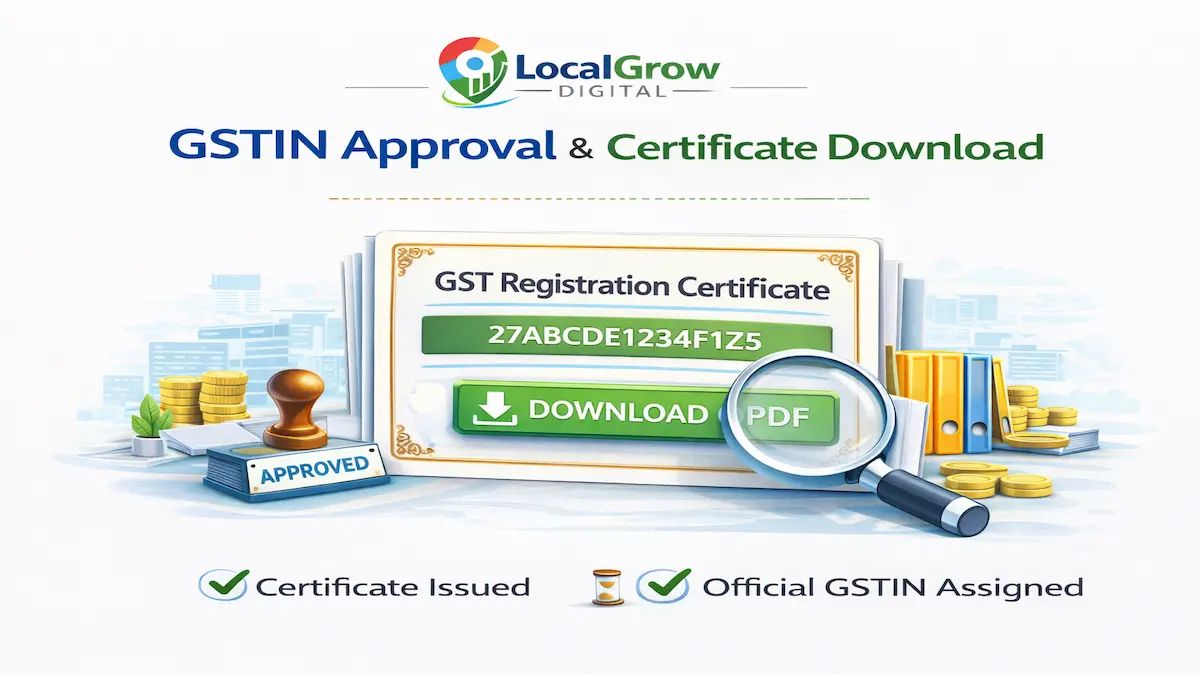
The GSTIN format is based on PAN, state code, and entity identifier, ensuring unique tax identification across India.
Receiving GSTIN approval confirms successful completion of how to apply for GST registration online in India.
Step 10: Post-Registration Compliance Requirements
After obtaining GST registration, businesses must begin issuing tax invoices, filing GST returns, and maintaining proper records as per statutory requirements.
Non-filing of returns after registration may attract penalties and cancellation proceedings.
Completing all compliance steps correctly after learning how to apply for GST registration online in India ensures smooth return filing.
How Long Does GST Registration Approval Take in India?
The timeline for GST registration approval depends on Aadhaar authentication status, document accuracy, and whether the GST officer issues a clarification notice. When all documents are accurate and Aadhaar authentication is completed successfully, approval is typically granted within 3 to 7 working days.
- Aadhaar authenticated cases: 3–7 working days
- Clarification notice cases: Depends on response time
- Physical verification cases: Up to 30 days
- Incorrect documentation: May lead to rejection
How to Track GST Registration Status Using ARN?
What Is TRN in GST Registration?
TRN (Temporary Reference Number) is generated after completing Part A of the GST registration application. It allows applicants to access and complete Part B within the validity period.
What Is ARN in GST Registration?
ARN (Application Reference Number) is issued after final submission of the GST application and is used to track application status and respond to clarification notices.
GSTIN Format Explained
GSTIN is a 15-digit identification number consisting of state code, PAN, entity code, and checksum digit, ensuring unique tax identification across India.
After submission, the GST portal generates an Application Reference Number (ARN). This ARN allows applicants to track GST registration status online and respond to clarification notices if raised by the officer.
- Visit GST portal
- Click “Track Application Status”
- Enter ARN
- View current application stage
You can monitor GST ARN tracking status through the GST portal dashboard.
Tracking ARN is part of understanding how to apply for GST registration online in India responsibly.
Ignoring status updates or failing to respond to clarification notices within the stipulated time may result in automatic rejection of the GST registration application.
As per Rule 9 of the CGST Rules, the proper officer may issue a notice for clarification within three working days if additional verification is required.
When Is Physical Verification Required for GST Registration?
Physical verification may be triggered if Aadhaar authentication fails, address proof appears unclear, or the GST officer suspects mismatch in business details. In such cases, the officer may visit the registered place of business to verify existence and operations.
Failure to provide valid address proof or operating at an unverified location may lead to rejection or future cancellation proceedings.
Physical Verification Preparation Tips
Ensure valid address proof
Display business name board if applicable
Keep electricity bill or rent agreement ready
Maintain business activity evidence
Respond promptly to officer visit or notice
Common Reasons for GST Registration Rejection
- PAN and Aadhaar mismatch
- Incorrect business classification
- Invalid bank proof
- Blurry or incomplete documents
- Wrong address documentation
- Failure to respond to clarification notice
Many applicants assume rejection is permanent, but corrective action can be taken by reviewing errors and filing a fresh application properly.
In practical filing scenarios, many applicants face rejection due to document mismatch or incorrect classification during officer verification stage.
In some cases, failure in Aadhaar authentication leads to GST physical verification process, which increases approval time.
If incorrect details are submitted, GST application correction becomes necessary through officer clarification response.
If your application has already been rejected, review GST registration rejected in India – top reasons and how to fix it before reapplying.
Most GST registration rejections occur due to incorrect business classification and document mismatch during officer verification stage.
Most rejection cases are preventable when the application is structured correctly from the beginning.
If documents are unclear, the GST officer may issue a GST registration rejection notice or request clarification.
GST Registration Mistakes Checklist
Wrong business category selection
Address mismatch
Blurry document upload
Incorrect bank proof
PAN and Aadhaar mismatch
Failure to respond to clarification notice
What Happens If You Delay or Skip GST Registration?
Operating a business without mandatory GST registration may attract GST registration penalty India provisions under Section 122 of the CGST Act. Businesses can face financial penalties, interest liability and compliance notices if registration is delayed after crossing eligibility thresholds.
GST late registration fine and interest calculations may apply from the date registration became mandatory.
Should You Apply for GST Registration Yourself or Take Expert Help?
Although GST registration can be completed independently through the portal, incorrect filing increases the risk of rejection, delayed approval, and compliance complications.
DIY Registration
- Portal navigation confusion
- Wrong category selection
- No support for clarification notices
- Higher rejection probability
- Compliance risk after approval
Expert-Assisted Registration
- Proper eligibility verification
- Accurate business classification
- Document pre-verification
- Faster approval
- Officer query handling support
Incorrect classification during GST registration can impact return filing, tax liability calculation, and future compliance. Professional filing reduces long-term compliance risk.
Special GST Registration Scenarios You Should Know
Different business models may require specific GST considerations during registration. Understanding your category ensures correct compliance from day one.
Online marketplace sellers should review GST for online sellers in India before applying.
Freelancers and service providers must understand GST for freelancers and service providers in India to avoid compliance issues.
Retail traders should review GST for retail shops and local businesses in India for correct threshold application.
Official GST Portal Guidelines and Legal Reference
Applicants should verify official rules and registration provisions directly from the Government GST Portal to ensure compliance with the latest notifications and procedural updates.
GST Registration Fees and Government Charges
There is no government fee for GST registration in India for most businesses. However, professional filing charges may vary depending on business complexity, documentation review and notice handling requirements.
When Should You Avoid Applying for GST Registration?
Businesses operating strictly within exemption limits and not engaged in interstate supply or online marketplace selling may not require immediate registration.
GST Registration Timeline in India (Realistic Approval Flow)
Day 1 – Application submission
Day 1–2 – ARN generation
Day 2–5 – Officer verification
Day 3–7 – GST approval (if no notice)
7+ Days – If clarification or physical verification required
The realistic approval timeline for GST registration is illustrated below.
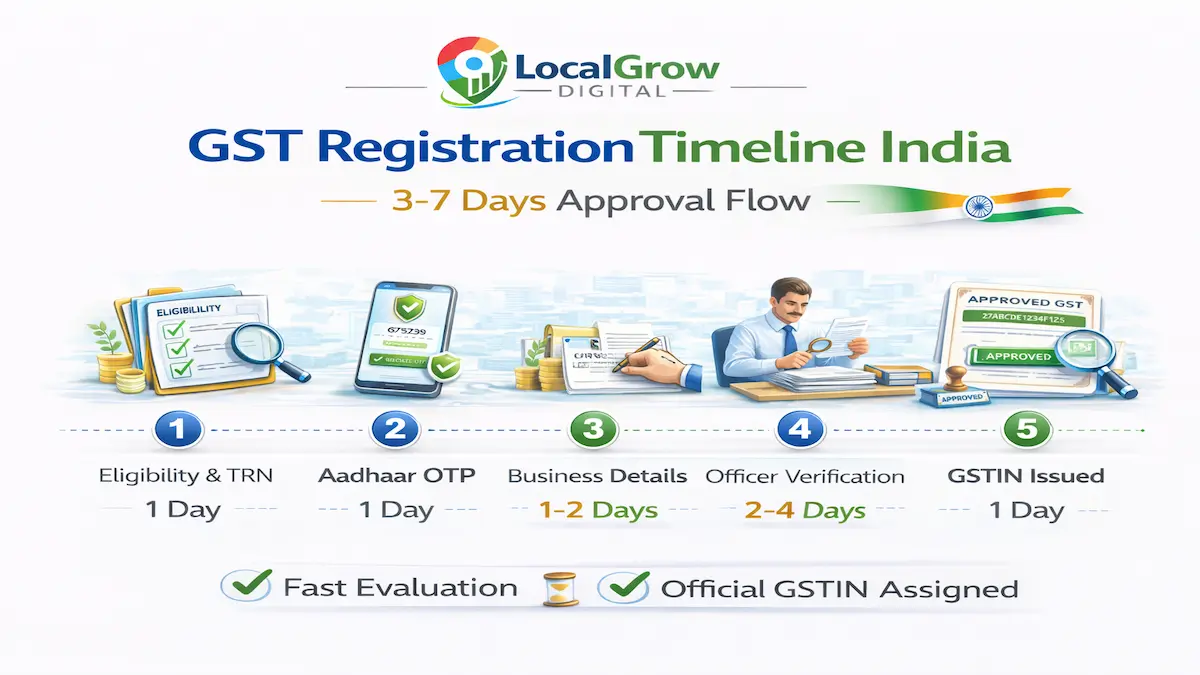
Delay usually occurs due to document mismatch, incorrect business classification or failure in Aadhaar authentication.
If Aadhaar authentication fails, your application may go through the GST physical verification process, which increases approval time.
Knowing how to apply for GST registration online in India properly reduces risk of physical verification.
Understanding this timeline helps businesses plan how to apply for GST registration online in India efficiently.
Many applicants fail because they do not clearly understand how to apply for GST registration online in India according to official portal structure.
Understanding how to apply for GST registration online in India properly can significantly reduce approval delays and prevent rejection notices from GST officers.
Following the correct sequence while learning how to apply for GST registration online in India significantly improves approval speed.
Expert Filing Timeline vs DIY Filing
DIY filing may involve multiple corrections and clarification notices, extending approval timeline. Expert-assisted filing includes document verification and classification review, significantly improving approval speed.
Why GST Applications Get Rejected and How to Prevent It
- Wrong business category
- Address mismatch
- Blurry documents
- Non-response to clarification
- PAN & Aadhaar mismatch
- Incorrect HSN selection
- Bank proof inconsistency
Most GST rejections are preventable with structured filing and correct classification at the first stage.
GST Registration Documents Verification Checklist
- PAN verified
- Aadhaar linked to mobile
- Address proof valid
- Bank account active
- Business classification correct
- HSN/SAC selected accurately
People Also Ask About GST Registration
Can GST registration be done without business office?
Yes, GST registration can be completed using residential address with valid proof if business operates from home.
Is GST required for freelancers in India?
Freelancers providing interstate or export services often require GST registration even below turnover threshold.
Can GST registration be cancelled later?
Yes, GST registration can be cancelled voluntarily if business operations stop or eligibility criteria change.
Frequently Asked Questions on GST Registration Online Process in India
Below are the most commonly asked questions about how to apply for GST registration online in India, including eligibility, rejection reasons and approval timelines.
Is GST registration mandatory for all businesses in India?
GST registration becomes mandatory when a business crosses prescribed turnover thresholds under Section 22 of the CGST Act or falls under compulsory registration categories under Section 24. Interstate suppliers, online marketplace sellers, and certain service providers must register regardless of turnover. Voluntary registration is also permitted for businesses seeking input tax credit or vendor credibility.
What is the turnover limit for GST registration in India?
The turnover limit is ₹40 lakh for suppliers of goods in most states and ₹20 lakh for service providers. Special category states follow lower thresholds. However, this exemption does not apply to businesses engaged in interstate supply or e-commerce platform selling.
Can I apply for GST registration online without a consultant?
Yes, GST registration can be completed independently through the GST portal. However, incorrect classification, documentation errors, or failure to respond to clarification notices may result in rejection or compliance complications. Many applicants prefer expert assistance to avoid such risks.
How long does GST registration approval take?
If Aadhaar authentication is completed successfully and documents are accurate, approval is generally granted within 3 to 7 working days. Applications requiring physical verification or clarification may take longer.
What documents are required for GST registration?
Applicants must provide PAN card, Aadhaar card, address proof, bank proof, and business-type specific documents. Incorrect or unclear documentation is the most common reason for rejection.
Is Aadhaar authentication compulsory for GST registration?
Aadhaar authentication is not legally mandatory but highly recommended. Without Aadhaar verification, the application may go for physical verification, increasing approval time significantly.
Can GST registration be rejected?
Yes. Applications may be rejected due to document mismatch, wrong address proof, business classification errors, or failure to reply to officer clarification notices within time limits.
How can I track GST registration status after submission?
Applicants can track GST registration status using the Application Reference Number (ARN) on the GST portal. The ARN reflects stages such as pending verification, clarification notice, or approved.
Is bank account mandatory for GST registration?
Yes, bank account proof is required to validate financial activity and link business identity. Cancelled cheque, passbook first page, or bank statement may be submitted.
Can I use my home address for GST registration?
Yes, residential address can be used if business operates from home. Valid address proof such as electricity bill must be submitted during registration.
Is GST required for online sellers with low turnover?
Yes. Online sellers on platforms like Amazon or Flipkart fall under compulsory registration provisions and must register even if turnover is below exemption limits.
What happens if I do not respond to GST clarification notice?
Failure to respond within the specified time may result in automatic rejection of the GST registration application. A fresh application would then need to be filed.
Can GST registration be edited after submission?
Major details cannot be edited after submission unless the officer raises clarification. Accuracy before final submission is essential.
What is ARN in GST registration?
ARN stands for Application Reference Number generated after submission of GST application. It is used to track status and communicate with GST authorities.
Is digital signature required for GST registration?
Companies and LLPs must use Digital Signature Certificate (DSC). Proprietors may verify using EVC or Aadhaar OTP.
What is physical verification in GST registration?
Physical verification involves a GST officer visiting the registered business location to verify existence if Aadhaar authentication fails or documents are unclear.
Can GST registration be cancelled later?
Yes, GST registration can be cancelled voluntarily if business operations stop. Proper cancellation filing prevents future compliance notices.
Is MSME registration required before GST?
No, MSME registration is not mandatory for GST. However, MSME registration offers benefits such as easier loan access and government scheme eligibility.
Do freelancers need GST registration?
Freelancers providing interstate or export services often require GST registration even if turnover is below exemption limits.
Can GST registration affect business loan approval?
Yes. Financial institutions frequently verify GST compliance and return filings when assessing working capital or business loan applications.
What is the penalty for operating without GST registration?
Penalty may extend up to ₹10,000 or tax amount due, whichever is higher. Interest on unpaid tax and legal notices may also apply.
Can I apply GST before crossing turnover limit?
Yes, voluntary registration is allowed and may improve vendor credibility and enable input tax credit claims.
Is GST applicable on interstate supply even below turnover?
Yes. Interstate supply triggers compulsory registration regardless of turnover exemption.
What if PAN and Aadhaar names do not match?
Minor spelling mismatches can lead to rejection. Applicants should ensure consistency across all documents before filing.
Do proprietorship firms require separate business registration before GST?
No separate incorporation certificate is required for proprietorship. PAN and Aadhaar of proprietor are sufficient along with address and bank proof.
Can GST registration be suspended after approval?
Yes, GST registration may be suspended if returns are not filed or compliance rules are violated.
Is GST certificate issued physically?
No. GST certificate is issued digitally and can be downloaded from the GST portal after approval.
Do service providers follow same process as traders?
The registration process remains the same, but turnover limits and compliance obligations differ between goods and services.
What is EVC in GST registration?
EVC stands for Electronic Verification Code used to verify application via OTP when DSC is not required.
Can I apply GST registration for multiple states?
Separate GST registration is required for each state where business operations exist.
Is GST registration required for export businesses?
Exporters are required to register for GST regardless of turnover because exports fall under zero-rated supply category.
What happens after GST approval?
After approval, the GSTIN is issued and business must begin return filing as per applicable compliance schedule.
Can GST application be withdrawn?
Yes, applicants can withdraw application before approval if submitted mistakenly.
Does GST registration require business bank account?
For companies and LLPs, business bank account is mandatory. Proprietors may use personal account if operating under same PAN.
Can expert help reduce GST rejection risk?
Yes. Proper document verification, accurate classification, and timely response to notices significantly reduce rejection probability.
DIY vs Expert-Assisted GST Registration: What Is Safer?
| DIY GST Filing | Expert Assisted GST Filing |
|---|---|
| Risk of document mismatch | Pre-verification reduces rejection |
| No classification guidance | Correct business category selection |
| No support for officer notices | Clarification response handled |
| Higher chance of delay | Structured approval process |
| Compliance risk after approval | Faster approval with expert review |
Apply for GST Registration Online in India Without Rejection Risk
If you want to avoid GST portal errors, document rejection, classification mistakes or officer notices, professional assistance ensures structured and compliant filing from start to approval.
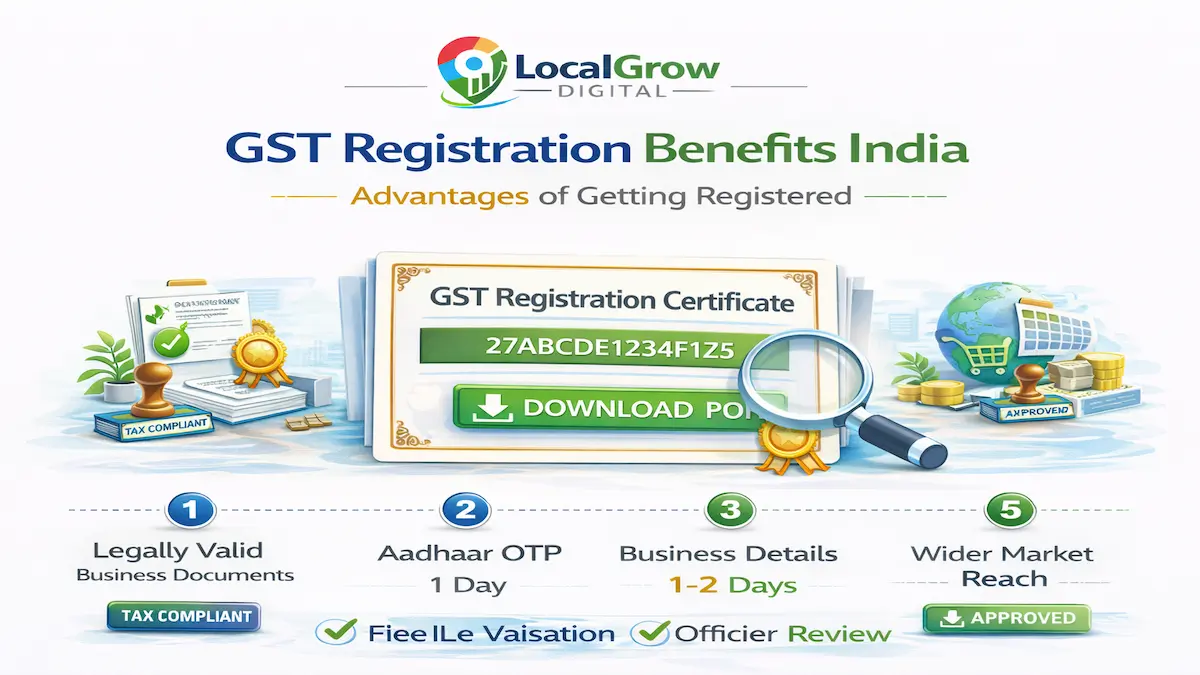
GST registration provides multiple business advantages beyond tax compliance.
⭐ Eligibility verification before filing
⭐ Document pre-verification to prevent rejection
⭐ Accurate business classification and HSN mapping
⭐ Clarification notice handling support
⭐ Faster approval with reduced compliance risk
If you are unsure how to apply for GST registration online in India without errors, our experts can assist you from document verification to final approval.
Our experts verify eligibility, review documents, complete accurate portal filing and handle officer clarification queries to ensure smooth approval.
Our GST experts ensure accurate filing, faster approval, and zero rejection risk through structured application handling.
Start GST Registration Online with Expert Support
Why choose expert GST filing?
✔ Document pre-verification reduces rejection risk
✔ Correct business classification prevents compliance issues
✔ Faster approval with Aadhaar authentication guidance
✔ Clarification notice handling support
✔ Zero hidden government fees
Trusted by entrepreneurs, freelancers, and growing businesses across India.
Most GST rejection cases occur due to avoidable errors during classification or document upload. Expert review before submission significantly reduces compliance risk.